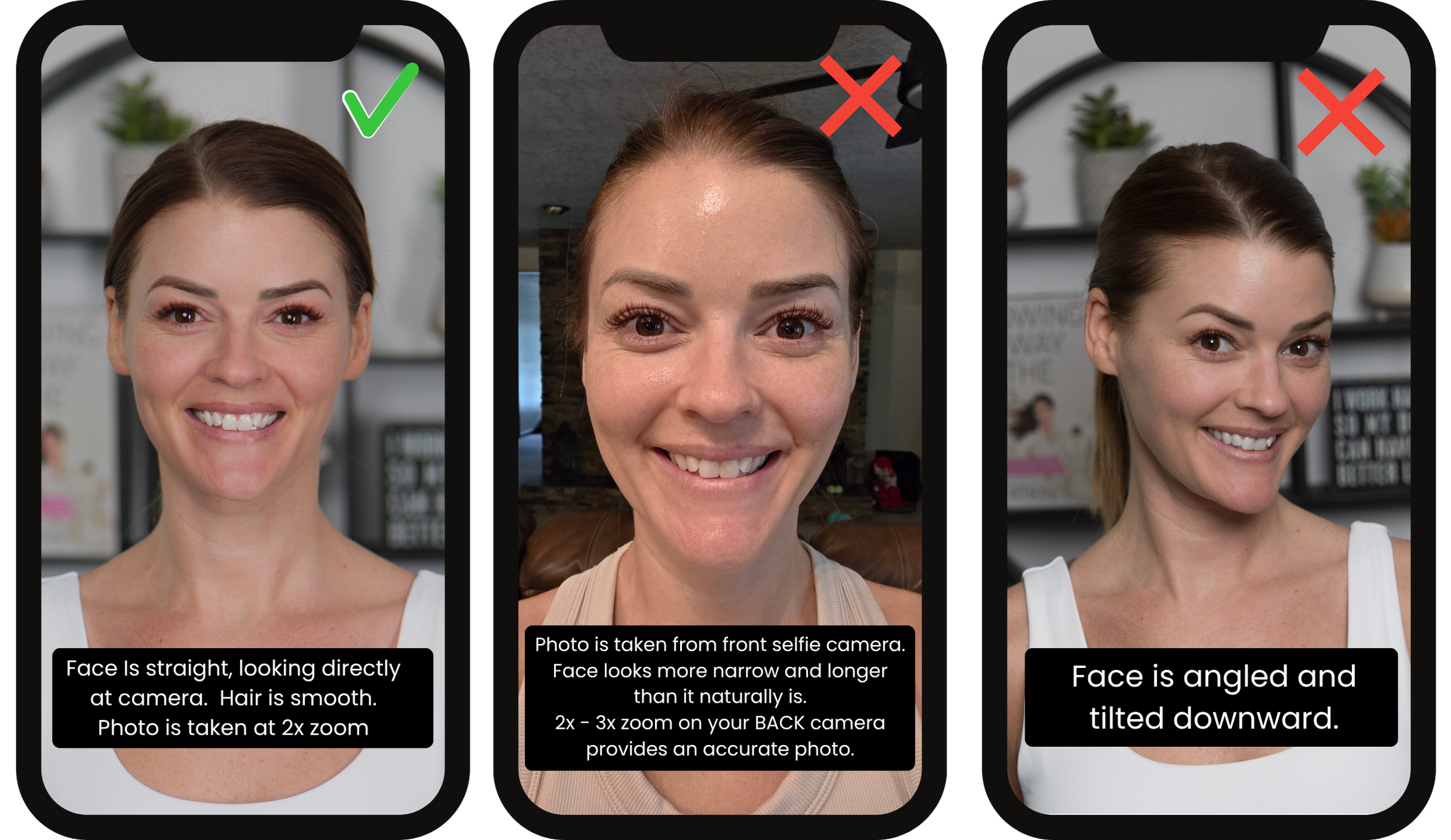
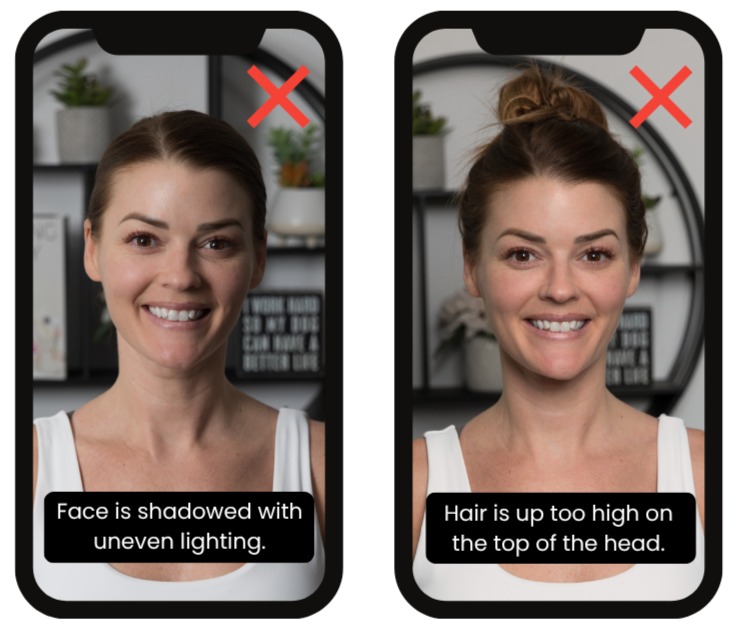
To ensure the accuracy of your analysis, please follow the photo instructions below. You can upload up to 5 photos and please include one photo of you with your hair worn down, as you typically wear it. All questions must be answered before submitting your form.
How To Take Your Photos
All photos are kept private and never shared online. Your results will be delivered within 7 business days of receiving your photos (excluding weekends and holidays).
Face Shape Analysis Photo Instructions
Prep: Pull your hair completely back and away from your face and neck so your hairline, jawline, and ears are visible. Remove any glasses. Hair should be as smooth as possible.
Use the Back Camera: Please do not use the front-facing "selfie" camera. It naturally distorts your face and body proportions. If you use a selfie camera, your picture will not be accurate to how you actually look.
Get Help or Prop It Up: The easiest way to do this is to have a friend take the photos for you! If you are flying solo, use a tripod and your camera's self-timer.
Turn on Grid Lines: Go to your camera settings and turn on the "Grid" feature. This will help you or your friend keep the phone perfectly straight and center you in the frame.
Apple Devices: open the Settings app, scroll down and tap Camera, then toggle on the Grid option under the "Composition" section.
Android Devices: Open the Camera app, tap the Settings (gear icon), and toggle on Grid lines or Grid
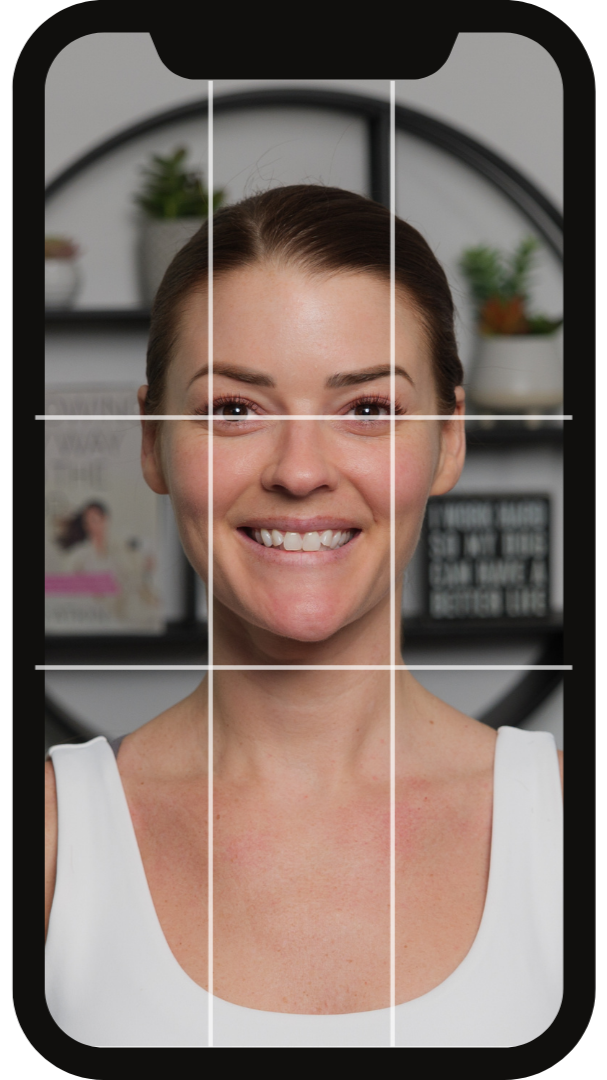
Zoom In: Set your camera to 2x - 3X zoom (or use your phone's Portrait mode if it defaults to a closer zoom). This is the secret to making the camera capture you exactly as the human eye sees you, without any stretching.
Angle & Distance: Your eyes should line up with the top line. Please keep the camera at a distance to where your shoulders are lightly seen in the camera.
Pose: Look straight into the camera lens. Avoid tilting or angling your face, you should be looking straight at the camera.
Correct and Incorrect Photo Examples